100% on-device · our own model
Talk to your Mac.
It writes — and acts.
Hold a shortcut and speak. Polished text lands wherever your cursor already is — in any app.
Luna — I can review the deck after standup rather than after lunch. You’ll have my notes by 11.
Dictation works everywhere
- Gmail
- Slack
- Notion
- Claude
- Linear
- Figma
- VS Code
- Obsidian
- Discord
- + every other app
The instrument
This is the whole interface.
A pill under the menu bar, a panel behind the menu-bar icon, and a list of phrases you already know how to say. Nothing to arrange, nothing to learn.
Can you make it even better? I feel like this is still such a toy version — can you make it production-ready?
It also does things
Say the errand. Approve the plan.
Everyday browser and Mac work — opening apps and sites, searching, tabs, windows, supported app workflows.
reads run immediately · writes always ask first
“open github, go to my notifications, and mark them all as read”
This one changes something, so it waits for you.
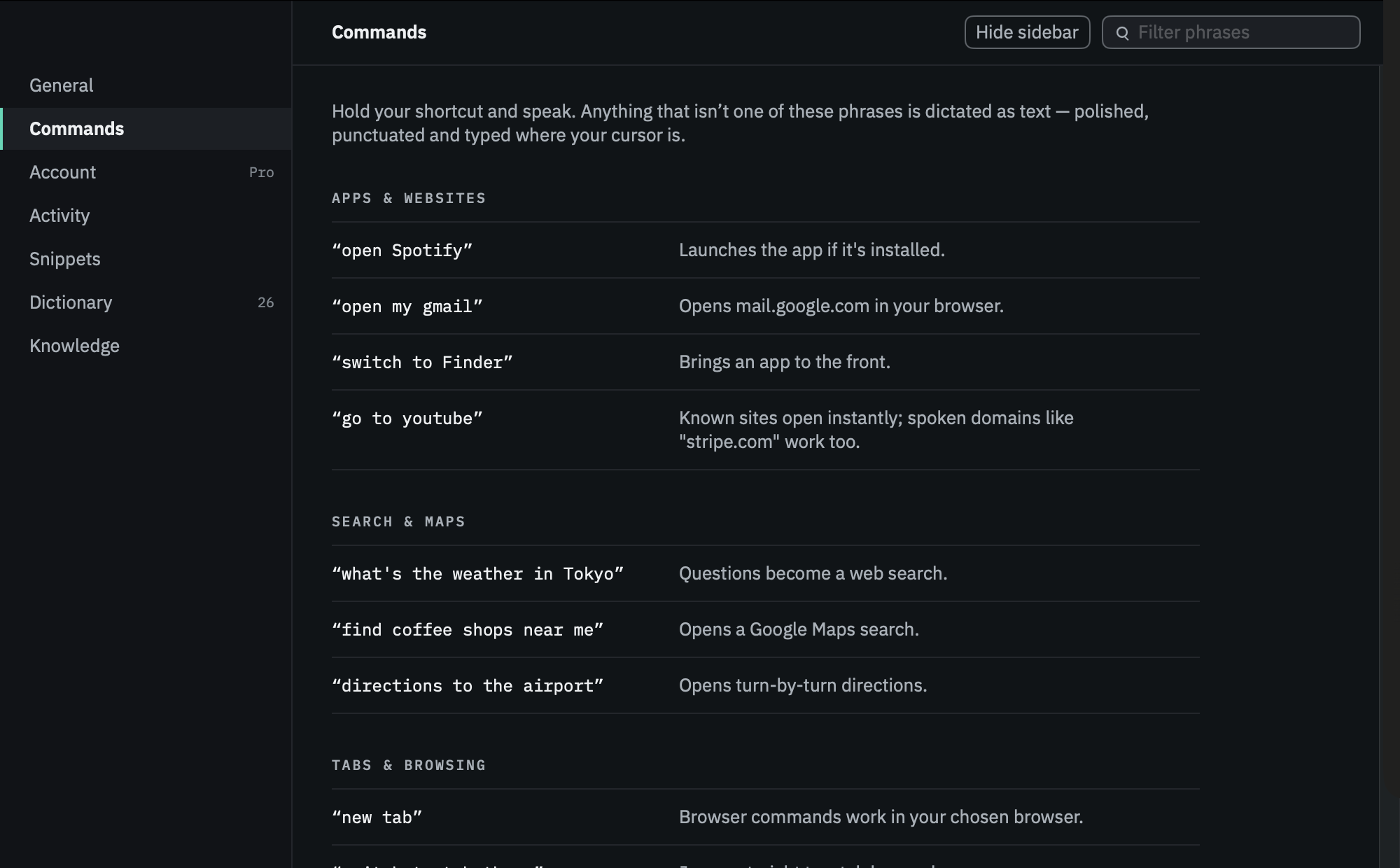
What you can say
Everything else is dictation.
There’s no syntax to learn. These phrases do things.
Apps & websites
Search & maps
Tabs & windows
Why it feels instant
There’s no upload, so there’s no upload to wait for.
Cloud dictation spends its budget on the round-trip: encode, upload, queue, generate, download. LoudInk spends all of it on the work.
2.3 s
median from your last word to text on screen, across 21 warm dictations
Where that median dictation went, stage by stage
Three bars, all of them work, none of them network — which is why it still works on a plane, and why slow café Wi-Fi can’t make dictation slow.
Our own model
Built for one job, small enough for any Mac.
01
The model is 0.8 GB on disk
4-bit weights, one shared foundation. No dedicated GPU, no minimum spec — it runs on an 8 GB Air.
typical 6 GB · LoudInk 0.8
02
One resident model, two jobs
Writing polish and voice-action planning are task adapters on the same warm model. Switching never reloads weights.
03
Plans compiled, not improvised
The model emits a structured intent that compiles into the exact steps you approve.
Privacy, structurally
It isn’t a policy. There’s nowhere for it to go.
Turn the network off after setup and everything still works — it was never using it.
Notarised and signed for macOS, every release
Audio is processed in memory, never written to disk
One number syncs — your monthly action count
Recent transcripts stay on your Mac, for as long as you choose
| What | cloud AI | LoudInk |
|---|---|---|
| Your audio | uploaded | this Mac |
| Your text | sent | never |
| The model | their cloud | your Mac |
| Works offline | no | yes |
| Coverage | one tab | every app |
Pricing
Start free. Cancel anytime.
Dictation and voice actions share one monthly allowance.
Free
- 25 actions or 25,000 words / month
- Every feature, no trial clock
- Dictation in every app
- Free account, no card
Pro
most picked- 2,000 actions or 250,000 words / month
- Enough for all-day dictation
- Voice actions in every app
- Founder's price locked
Max
- 10,000 actions or 1.5M words / month
- Five times Pro's allowance
- For writing all day, every day
- Priority support
30-day refund, no questions asked
Talk to your Mac.
Free to start. Nothing leaves your Mac. Ready when you are.